Showing posts with label CSS3 Tips. Show all posts

Saturday, 27 June 2015

18 Best Free HTML5 CSS3 Website Templates 2015

18 Best Free HTML5 CSS3 Website Templates 2015

In this article I’m sharing around 18 Best Free Responsive HTML5 CSS3 Website Templates. These templates can be download and used for a variety of projects including business, portfolio, product, services. These free html5 templates are packed with amazing features and to find such a clean, responsive template. We use CSS or CSS3 for styling website like color combination, font style, font selection and more. We can create a beautiful, responsive html5 template with the use of css3.

UNIVERSAL – Business & E-Commerce Template

Universal is clean and stylish universal website template built with Bootstrap 3.3.2. It stands out with its clean design and elegant typography.
This theme includes 45 HTML pages so you should have everything you need to start developing new business, portfolio or ecommerce website. Along with the 45 pages you will get also 11 pages showcasing Bootstrap elements and possible template modifications.

Avada-Plus – Responsive HTML5 Agency Template 

Avada Plus, a Free Responsive HTML5 Agency Template.

Backyard – High Converting Landing Page

Backyard is a free landing page template by MoxDesign. Backyard is a beautiful high converting landing page template built with Bootstrap 3. It has 5 different header styles and 6 color variations. Well organized and comment codes so it’s very easy to customize and use in your projects.
Backyard is a multipurpose landing page template that can be adapt to all your needs. You can use it for education, health, start up, web app, phone app, real estate, travel service project, etc.

Bukku – Free HTML/CSS Book Template

Bukku is a professional e-book template, it’s fully responsive, looks stunning on any device. It features a very clean and professional design.

Cafe & Restaurant Free Website Template

Cafe is a classy and trendy theme created for cafe & restaurant, food & drink, brewery, gifts, hobbies & crafts and many other websites. Being well-coded, it makes building and managing your website quick and easy. It offers a clean contemporary design that aims to provide an excellent user experience, and engage people who visit the site. With a full-width slider, ideal for menu presentation, embedded gallery on the front page, convenient burger menu and well designed layout, this theme comes with a whole range of features necessary for creating a successful site.

Focal- A responsive portfolio Template

Forkio: One-Page Bootstrap Template

Meet Forkio, free one-page website HTML template. It is built with Bootstrap and comes with SCSS and PSD files. It works really well for app or start-up themes but can easily be adjusted for any kind of content.

WHITE: One-Page HTML Theme

White is a creative one-page HTML theme is perfect for personal portfolio, creative agency, designer portfolio and more. Every detail and animation effect made with passion and professional skills. Template has a universal design , so it’s very easy to customize to fit your needs, just replace images and texts.

Portefeuille

Portefeuille one page HTML template, we are introducing today is totally free with amazing features like creative design, responsive layout, working contact form etc. Download, share this HTML template with your friends and you have complete freedom to modify this one page website template to your project needs.

konefix

Konefix is a free HTML Bootstrap theme. Feel free to use it for your personal or commercial purpose. PanKogut ask just a link to pankogut.com website wherever you want.

LANDER Free HTML Responsive Template

A cool one page psd and html responsive templates. You can use this for both personal and commercial purposes. 

Landro – Bootstrap 3 App Coming Page

Oxygen – Free Bootstrap Theme

Photon HTML Template

SeFolio – One Page Responsive Bootstrap

 SPECTRAL – Responsive Website Template

Sumo Landing – HTML Landing Page  

Techgut – Responsive Corporate One Page Theme

Unika – One Page HTML5 Template

10 Plus Useful CSS Tools For Developers 2015

10 Plus Useful CSS Tools For Developers 2015

CSS or Cascading Style Sheet is used to design webpages and customize them anyway you want. The main elements that include in a CSS are typesetting, adjusting letter spacing, alignments, colors, fonts and los more. A custom CSS can be created in a notepad but you should be very thankful to the developers who have built related software for writing CSS codes and implementing them on their website projects. Here, we have listed down similar CSS tools which are widely used by designers.
1. Skyblue
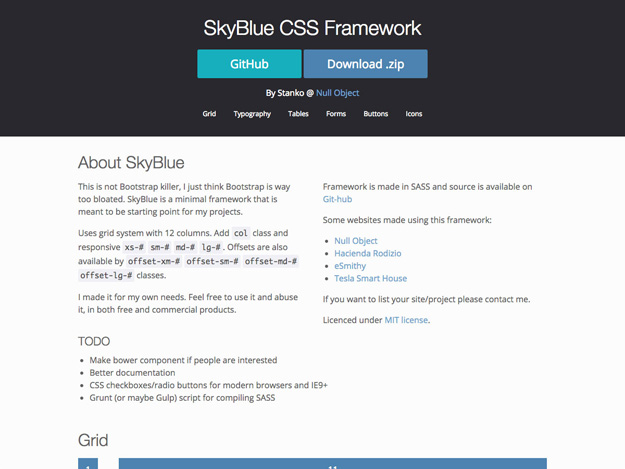
01. skyblue

Skyblue is an accurate tool for startup projects and it uses grid system with 12 columns. Skyblue framework is built in SASS. This is not exactly a BootStrap killer but it is a minimal framework.
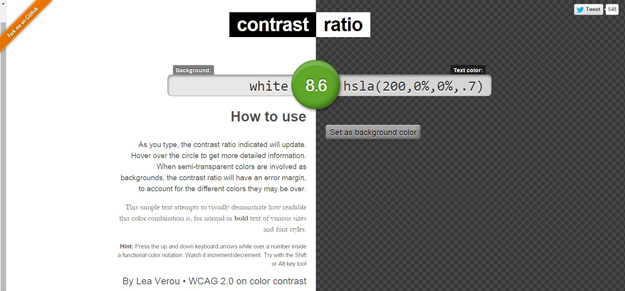
02. contrast-ratio
Contrast Ratio is a software to analyze the contrast ratio between any two valid CSS colors. The tool updates the contrast ratio asyou type in it and hovering over the circle will give you a detailed explanation.
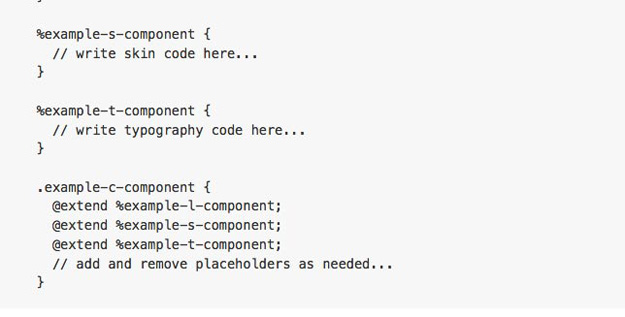
03. cssburrito
The CSS Burrito architecture consists of object oriented CSS that allows separate skin and structure and separate content from container. It also includes scalable and modular architecture for CSS that increases the semantic value of HTML and content and reduces the expectation of a specific HTML structure.
4. Skyline
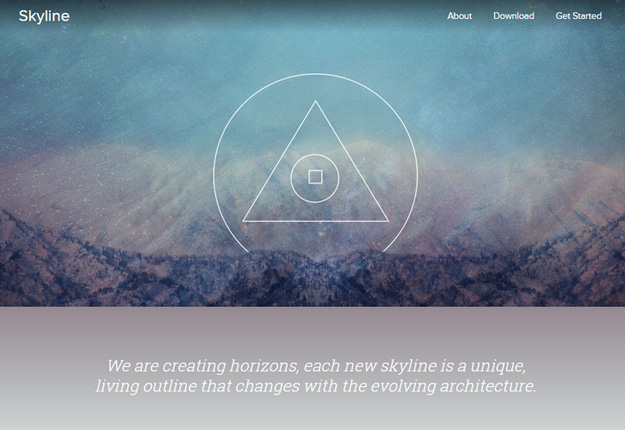
04. skyline
Skyline is one of the major software for building CSS frameworks which provides solid CSS architecture to support your exceptional design system. The architecture of Skyline is filled up with four layers- Base, Elements, Layout and Modules.
5. Buddy
05. buddy
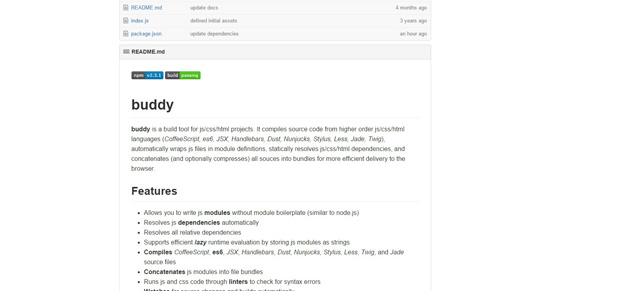
Buddy compiles source code from higher order css/html/js languages like CoffeeScript, JSX, es6, Twig, Jade, etc. The key features of Buddy are:
• Resolving js dependencies accurately.
• Allow writing js modules without module boilerplate.
• Supporting efficient lazy runtime assessment by storing js modules as strings.
6. Turbine
06. turbinecss
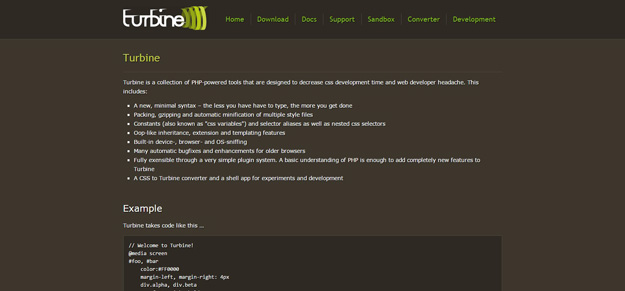
Turbine is a tool that reduces the CSS development time by offering the most powerful PHP tools which includes a minimal syntax, CSS variables and selector aliases, in-built device, browser and OS sniffing, automatic bug fixes and improvements for older browsers.
7. CSSess
07. cssess
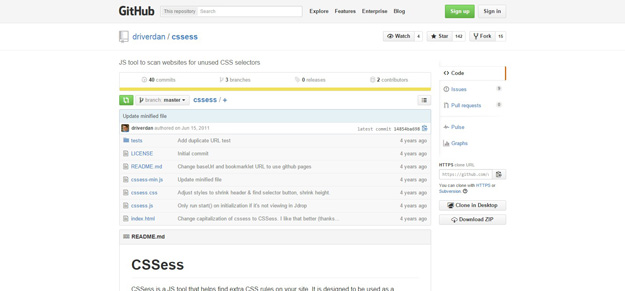
CSSess is a JS tool that helps you to find extra CSS systems on your site. It is specifically designed as a bookmarklet and is inspired by Helium CSS.
08. Critical Path
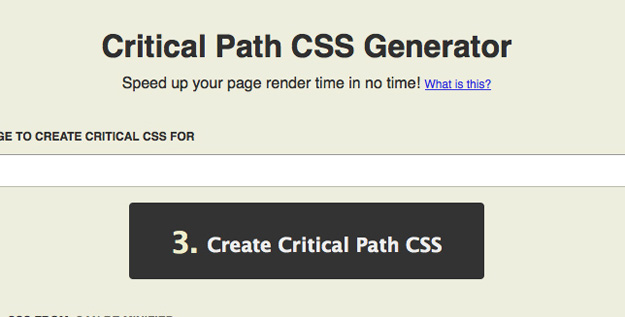
Critical Path CSS tool only extracts the CSS required for the above-the-fold folder content for a particular page. It is used for speeding up a webpage rendering.
09. css-sans
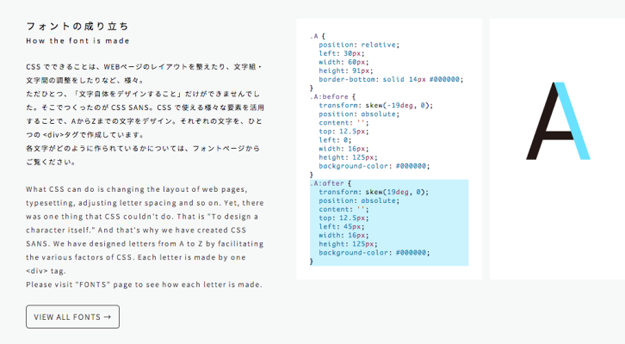
CSS SANS is another CSS tool for programming language and typesetting which is used for extreme web designing. With this software you can change the layout of the webpage by adjusting letter spacing and it offers various fonts to include in a web project.
10. SpaceBase
10. spacebase
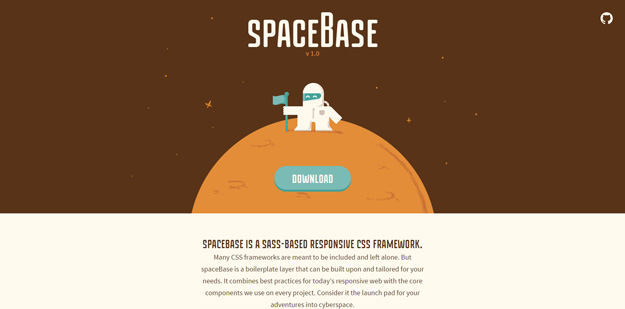
SpaceBase is special for its SASS based responsive CSS framework which is also a boilerplate layer which can be adapted for your requirements. SpaceBase combines the best practices for the responsive web with the interior modules you use on your projects. The key features of SpaceBase are- fluid and mobile first grid, SASS-based, object oriented CSS and optimized for lightspeed.
11. deSVG
11. desvg
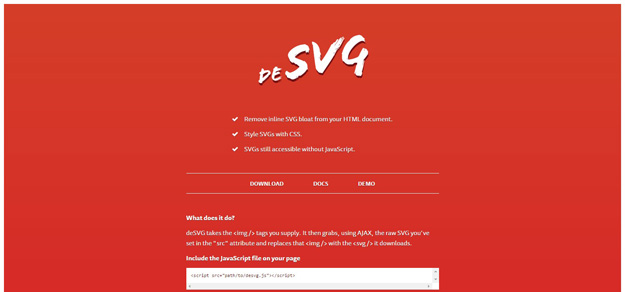
deSVG is a CSS tool that removes inline SVG bloat from your HTML document and makes SVG’s accessible without JavaScript.
The above listed CSS frameworks are an ultimate solution to design and develop your CSS template. Whether you are designing a webpage for personal use or developing it for business, these tools will support you and help you deliver the right designs. Whether you are a starter or an experienced designer you can use these tools seamlessly because they are completely user friendly and provide you the right ideas.

14 Useful HTML CSS Frameworks For Developers 2015

14 Useful HTML CSS Frameworks For Developers 2015

Website designing as a professional work is very complex and consumes a lot of time. It needs the perfect blend of CSS and HTML frameworks. Not only do these frameworks add exceptional features in a project involving web designing, but also does it save a lot of effort and time. Frameworks are available mostly as templates which you as a web developer can easily use to design and develop a functional and striking website with accuracy and speed.
Frameworks lay groundwork for website designing because they are quite efficient. They provide excellent features to enhance the whole performance and functionality. The design and look of a website can be easily enhanced by choosing the most reliable and perfect framework. Most of the website designers nowadays are using brilliant frameworks in HTML & CSS to create an efficient and appealing website.
Hence, we are going to introduce you to some of our handpicked and most efficient CSS and HTML frameworks. We are now presenting to you the best of the frameworks available over the web.

HTML Kickstart

HTML Kickstart
This provides HTML5, CSS & js building blocks for rapid websites production.

HTML5 Boilerplate

HTML5 Boilerplate
HTML5 help you to fast, robust and adaptable web applications and websites.

HTML5 Framework – Montagejs

HTML5 Framework – Montagejs
MontageJS is a modern frontend HTML5 framework that supports creating single-page applications—fast. MontageJS uses time-tested design patterns and software principles, allowing you to easily create a modular architecture for your projects and deliver a high-quality user experience.

HTML5 & CSS3 –  52Frameworks

HTML5 & CSS3 –  52Frameworks
This one is another awesome framework for HTML5 and CSS3 users. A completely new Form Framework with HTML5 Validation (via javascript).

HTML/CSS Framework –  Clank

HTML CSS Framework –  Clank
Clank is an efficient HTML/CSS framework used for prototyping phone or Tablet applications. It uses Saas as the CSS pre-processor and promotes quick development for mobile and tablet devices.

CSS Framework – Pure

CSS Framework – Pure
Another effective web designing framework is Pure. It features a set of small and responsive CSS modules which can be used in almost all web designing projects. As compared to other frameworks, Pure can deliver more effective and quick results.

Framework –  Columnal

Framework –  Columnal
The columnal framework is an efficient CSS grid system with a touch of custom code into it. It is an elastic grid, and offers special features for easy and quick web designing. Therefore, if you want effective web designing results, this framework is the best and most reliable option.

Web Framework –  Kube

Web Framework –  Kube
Kube framework can also play a big part in easing up the process of web designing. It’s an adaptive and responsive tool which supports everything needed for designing a website. It effective features and reliable performance can easily create any website in quick time.

HTML & CSS Framework – Bootstrap

HTML & CSS Framework – Bootstrap
Bootstrap is the most popular HTML, CSS and JS framework available on the internet. It’s an efficient tool, and used by a large number of web designers for developing responsive, and feature rich websites for mobile and other devices.

CSS Framework – Toast

CSS Framework – Toast
Toast is a reliable CSS framework which makes simple layouts, and allows the user to add padding and borders with minimum efforts. It’s one of the best and easiest web designing frameworks available on the internet.

CSS Framework –  Blueprint

CSS Framework –  Blueprint
Web designing projects can also be handled with blueprint framework. It provides a solid foundation to build your project with nice forms, style sheets, and easy to use grid and typography. It’s one of the best frameworks to deal with most complex web design works.

CSS Framework – YAML Framework

CSS Framework – YAML Framework
The next framework which can be used for web designing is YAML. It’s an ideal tool to design flexible, accessible and responsive websites. It offers an effective set of features to create a great website with all essential qualities. It also carries a good Ajax Builder which ensures effective visual development of YAML-based CSS layout.

CSS Framework –  Semantic UI framework

CSS Framework –  Semantic UI framework
Semantic UI also features an effective technique for web designing. It empowers designers by creating a language for user interface sharing. Various features and 3D animations also play a big role in creating effective websites. As compared to other frameworks, it’s much better and easier to use.

CSS Framework- Gumby

CSS Framework- Gumby
Gumby is one of the best frameworks, and is packed with useful and effective features. Its prebuilt designs and common interface elements play a big part in creating a perfect website. After using this framework, you can easily customize and create your own grid according to your requirements.

Friday, 29 May 2015

10 POWERFUL THINGS YOU DIDN’T KNOW ABOUT CSS3, CSS3 Training in 2015

10 POWERFUL THINGS YOU DIDN’T KNOW ABOUT CSS3, CSS3 Training in 2015

CSS3 Tips in 2015: - 


Cascading Style Sheets, the next level. CSS3. With an array of increased creative opportunities, CSS3 is much better than its predecessor CSS2, and gives developers that much-desired control on a web page’s look and feel.
We took a closer look at CSS3 and want to show you 10 things you might not know about CSS3.


What’s new with CSS3?

There’s a huge amount of improvements over the last version, like the ability to easily add video and 3D objects to your webpage. But then, all this obvious flashiness is merely the tip of the iceberg.
In fact there’s much more that can be done on this platform. With an ocean of possibilities out there, this post is about the top eleven. Here are some things you can do with CSS3 that you probably overlooked. And if you have your own experience, don’t forget to add a comment in the comments section below.

Backwards compatible

This is actually pretty well known, but I thought I’d put it in here as well. So, before you start wondering whether you’ll have to ditch all that work you did in the previous versions, here’s some good news.
CSS3 is completely backwards compatible with earlier CSS versions. That old site running on a previous CSS version can be reworked with CSS3.
Also, with browsers already compatible to CSS2 and other versions, changes with CSS3 are reflected perfectly as well. And if you just want to add to it and not rework the entire site, that’s ok, it’s all possible!
PS: Keep in mind though, you won’t be getting the added speed benefits everywhere if only a part of your site is built with CSS3.

Independent modules, simplified working

Unlike CSS2 which was comprised of a single document, CSS3 is broken up into many individual modules, improving both functionality and ease of working.
The advantage?
Well, it makes CSS3 a whole lot easier to handle given its complexity.  Doing this the CSS2 way, would’ve made things very difficult to manage.
The most important modules include Selectors, Color, Box Model, Backgrounds and Borders, Text Effects, 2D/3D Transformations and user interface.
The old CSS specifications are present too, though they have been split into small functional pieces. This makes handling them much easier. Also, keep in mind that these modules are currently under varied stages of recommendation through the W3C.

Easy to change, easier to view

With the modular structure and new functionalities, CSS3 makes it much easier to make changes.  This is possible because individual modules can be easily changed and integrated into the main system.
Finally, this allows independent individual module testing as well, which makes it easier to pin-point issues and make corrections where required.
A major concern of all web designers is on how to easily make the site available on different media and devices. CSS3 improves that adaptability making it easier to view your site on mobile devices or even take an e-reader-friendly approach.

Faster development speed

CSS3 has also managed to set new benchmarks in development speed. Many parts of its functionality now include what used to require a CSS – Javascript combo. This way, time is saved during production, during loading and finally towards the end product. In addition the improved flexibility that comes with the modules reduces turnaround times as well.
The Smashing Magazine compared the speed of website built with CSS to the same one with CSS3. The results are interesting, as CSS3 really pays off when it comes to production and load times.

Cross browser compatibility and platform independence

Today’s end users have plenty of browser options to choose from. This makes browser compatibility a major challenge for all web developers.
CSS3 enjoys a wider range of browser support, which was not possible before. Moreover, despite CSS3 not being included in the W3C standards, many browsers are offering support to its new features.
Also tools like the CSS3 Generator, provide designers a hassle free design process. Developers are provided with code that is automatically generated with vendor specific prefixes. CSS3 offers a level of platform independence not seen before and is supported by new versions of all the important web browsers.

Better backgrounds

Backgrounds no longer need to be static and boring. What previously needed additional scripting and programming, can now be done easily with CSS3.
Multiple Backgrounds
While CSS3 retains its box model, many new style properties have become a part of the parcel. Multiple background images can be included on a page and layered.
CSS3 Background size
The CSS3 background-size property allows to specify the size of these background images. The background image can easily be clipped and sized according to the vision of the designer. Most importantly though, all this can happen dynamically.
There’s no reason to have all those different backgrounds for different situations anymore. This is a good thing, because with today’s variety of screens sizes, shapes and resolutions, doing things the old way would’ve been a real mess.

borders and text effects

If you’re bored with the standard border variants of solid, double and dashed, CSS3 brings a host of options. An overlooked added feature is the ability to use an image as a border. The CSS3 border-image property allows you to define an image which can be used as a border.
The border-image property takes the image and slices it into 9 sections. The middle section can be stretched or repeated. See example below:
Moreover, you can also create rounded corners, something that wasn’t possible before. Does this add a lot of flexibility? Check this out if you’re in doubt: https://css-tricks.com/examples/ShapesOfCSS/

#star-six {
width: 0;
height: 0;
border-left: 50px solid transparent;
border-right: 50px solid transparent;
border-bottom: 100px solid red;
position: relative;
}
#star-six:after {
width: 0;
height: 0;
border-left: 50px solid transparent;
border-right: 50px solid transparent;
border-top: 100px solid red;
position: absolute;
content: “”;
top: 30px;
left: -50px;
}


CSS3 opens doors to a whole range of text effects too. This is possible with the new cross border tool. Another new feature is the drop shadow effect that used to be a real pain to accomplish.
And then there’s the CSS3 multi column module. This is an important feature that allows for content to flow in columns, thus saving users from too much of vertical or horizontal scrolling for content, all done dynamically. Yum!

Playing with images and animation

Before the content catches a reader’s attention, the page layout, quality of images and animation make the first impact. These used to be elements where CSS had limited capabilities and needed Javascript to achieve anything. But things have changed on that front too. Want to make an image look brighter or tone it down?
Well, image filters are available on CSS and you can do that right here, without having to work with any other software. Transitions, gradients and animations often required JavaScript libraries as well, but not anymore.
CSS3 transitions
CSS3 transitions makes it possible to change property values over a given duration quite smoothly. To make use of a transition effect, you must define two things. First the CSS property you want to add an effect to. And the duration of the effect.
The following example shows a red <div> element. The <div> element has also specified a transition effect for the width property, with a duration of 2 seconds:
If we now specify a new value for the width property when a user mouses over the <div> element:

Feature testing

CSS3 lends to improved feature testing thanks to its modular structure. Earlier versions needed plenty of testing time as it would be a mammoth task to identify what was causing a certain issue. However, with the new structural break-up, it is now much faster and more efficient.

Testing for individual modules can be carried out and they can then be integrated into the complete system. This in turn would lead to better systems, easy maintenance, low turnaround times and of course, happier clients! Need a new style to match that new trend? No problem!